
Every month you get a payslip, and most people only look at one line: how much landed in the bank. But your payslip shows much more: what you really earned, how much was saved for your pension and study fund, and how much your employer pays on top of your salary.
In this guide we read a sample Israeli payslip together, step by step.
Prefer to watch? Yossi, a freelancer like you, learns to read his payslip (video in Hebrew)
A real payslip, step by step
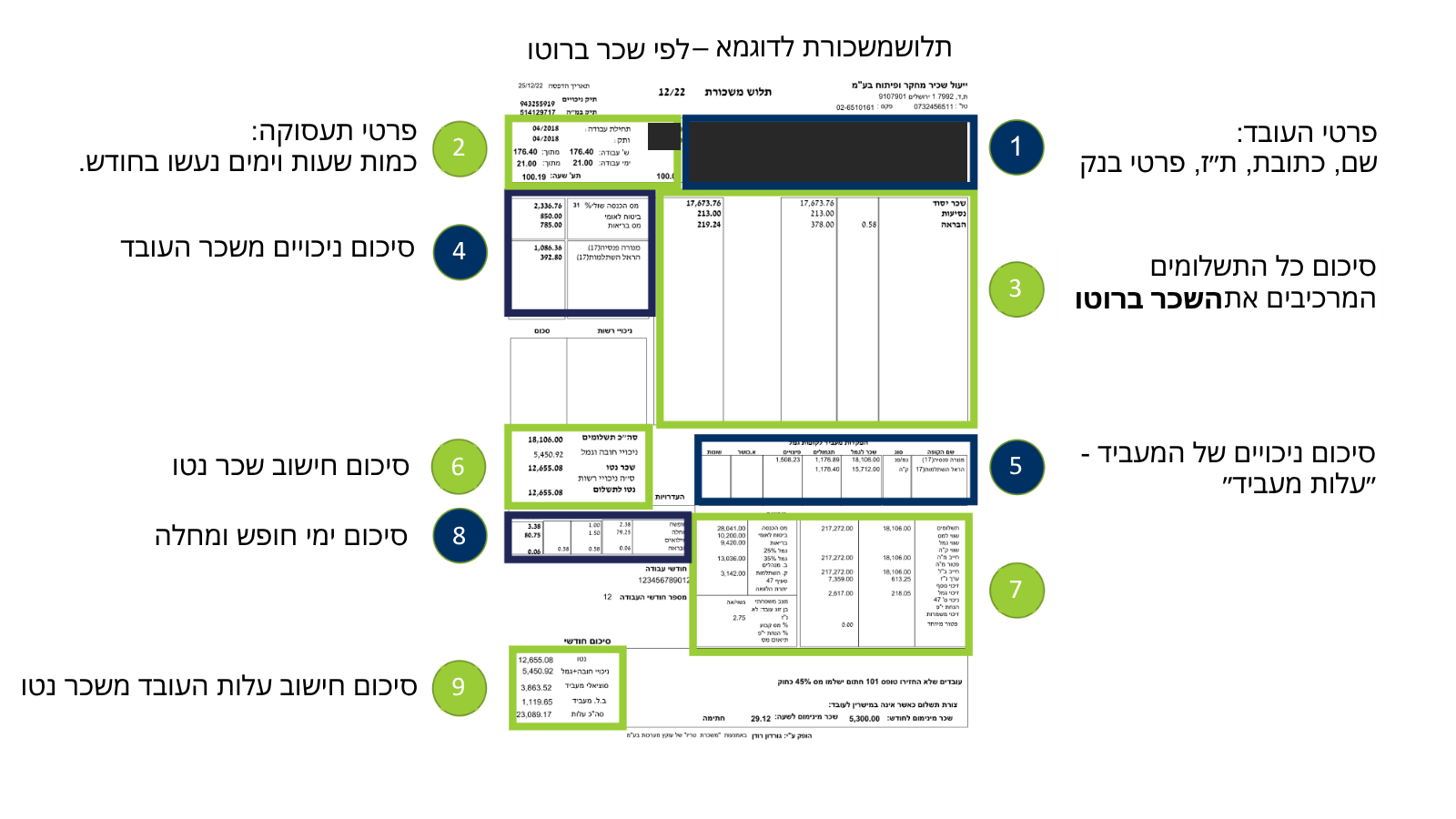
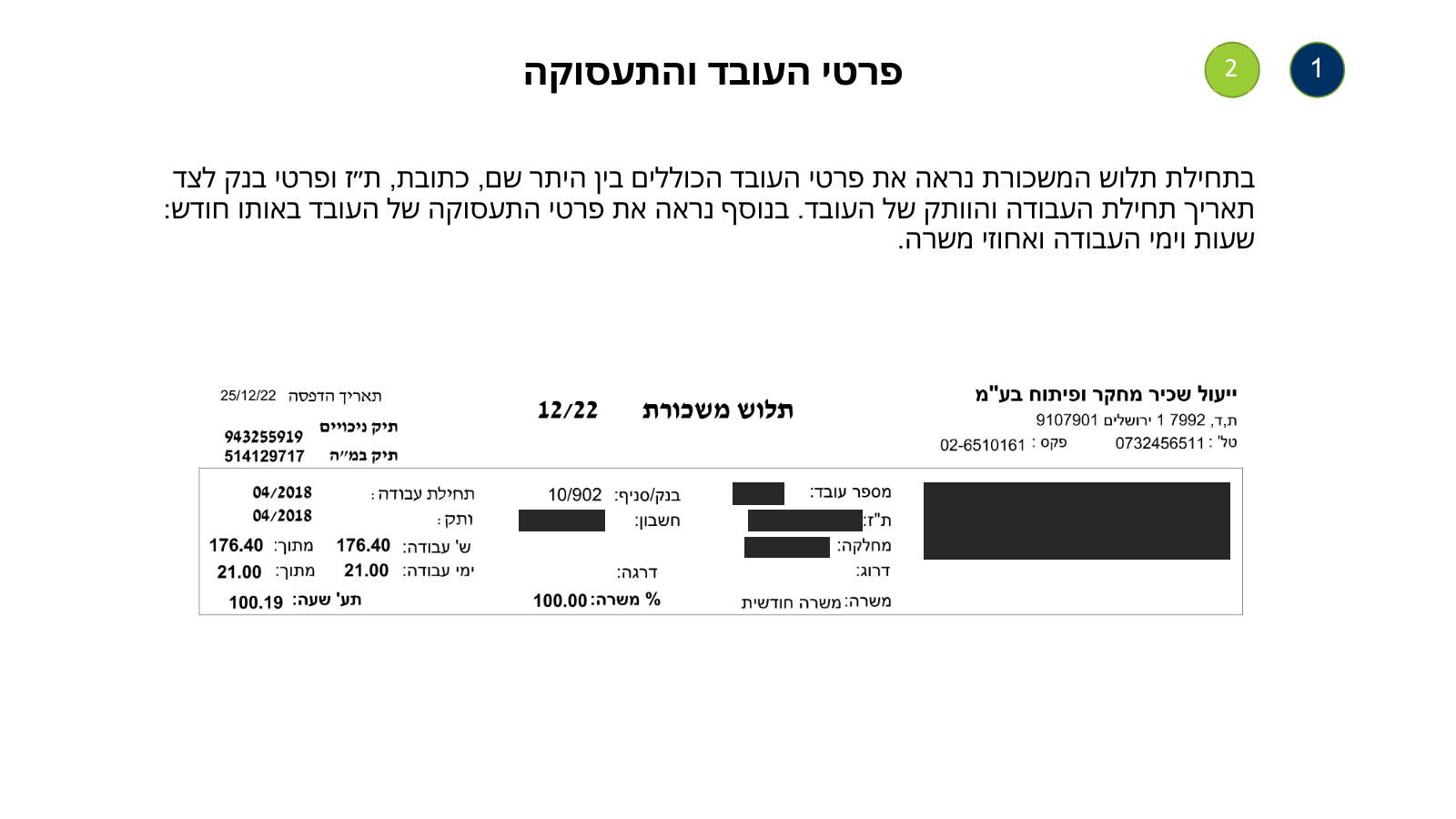
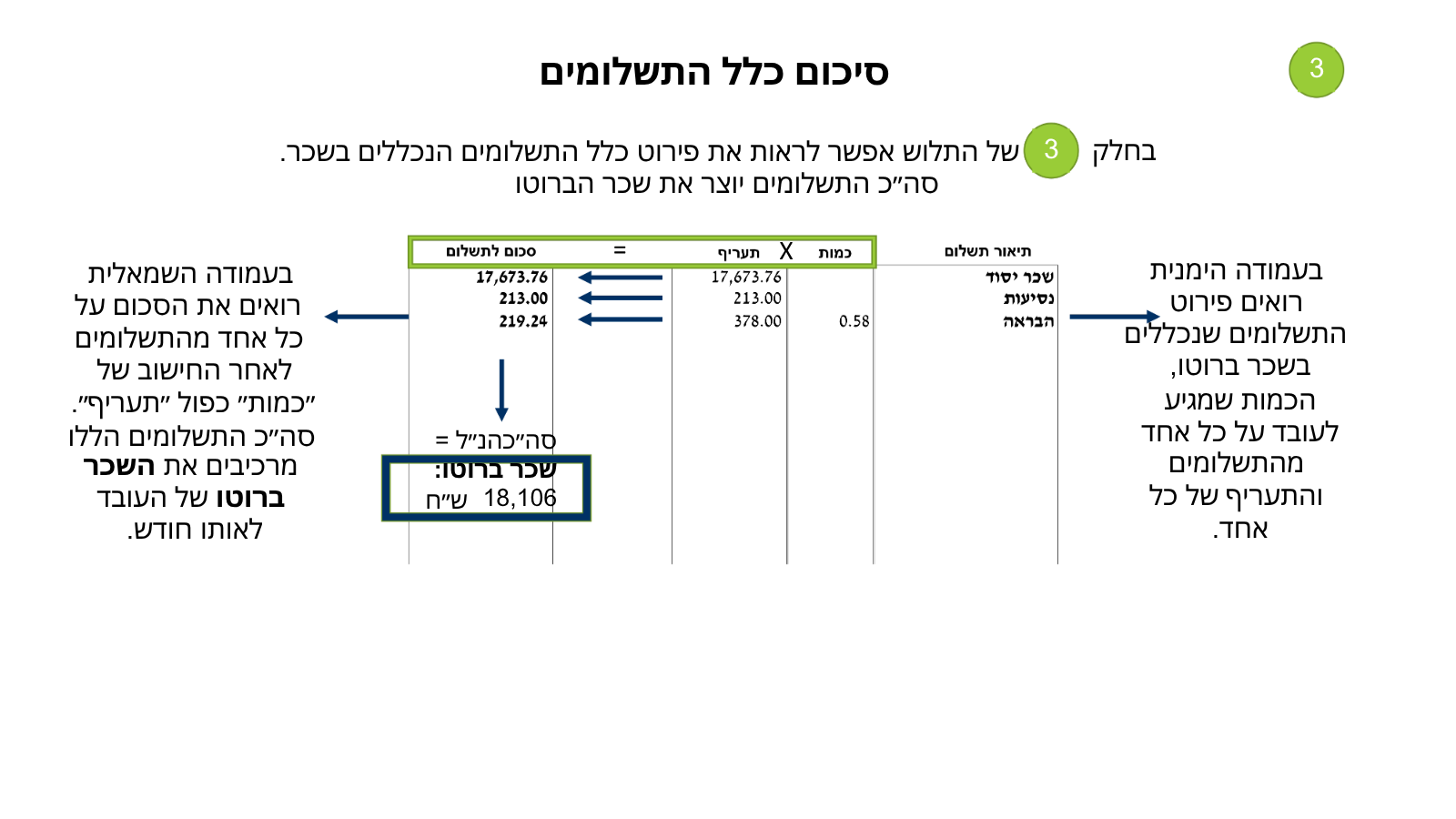
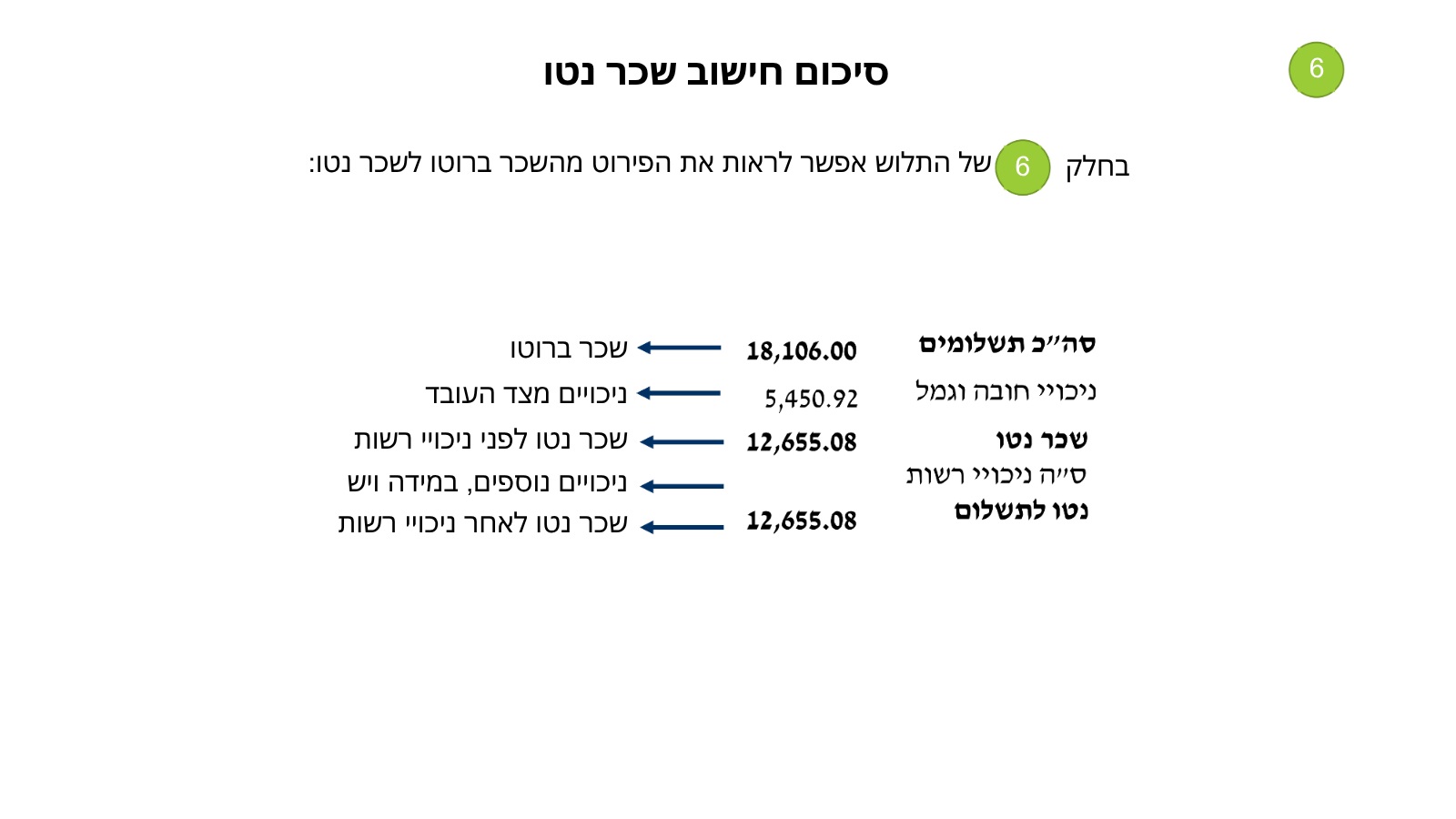
This is what it looks like on a real Israeli payslip (employee details hidden). The slides are in Hebrew; the captions explain each one in English. Use the arrows, and click an image to see it full size.
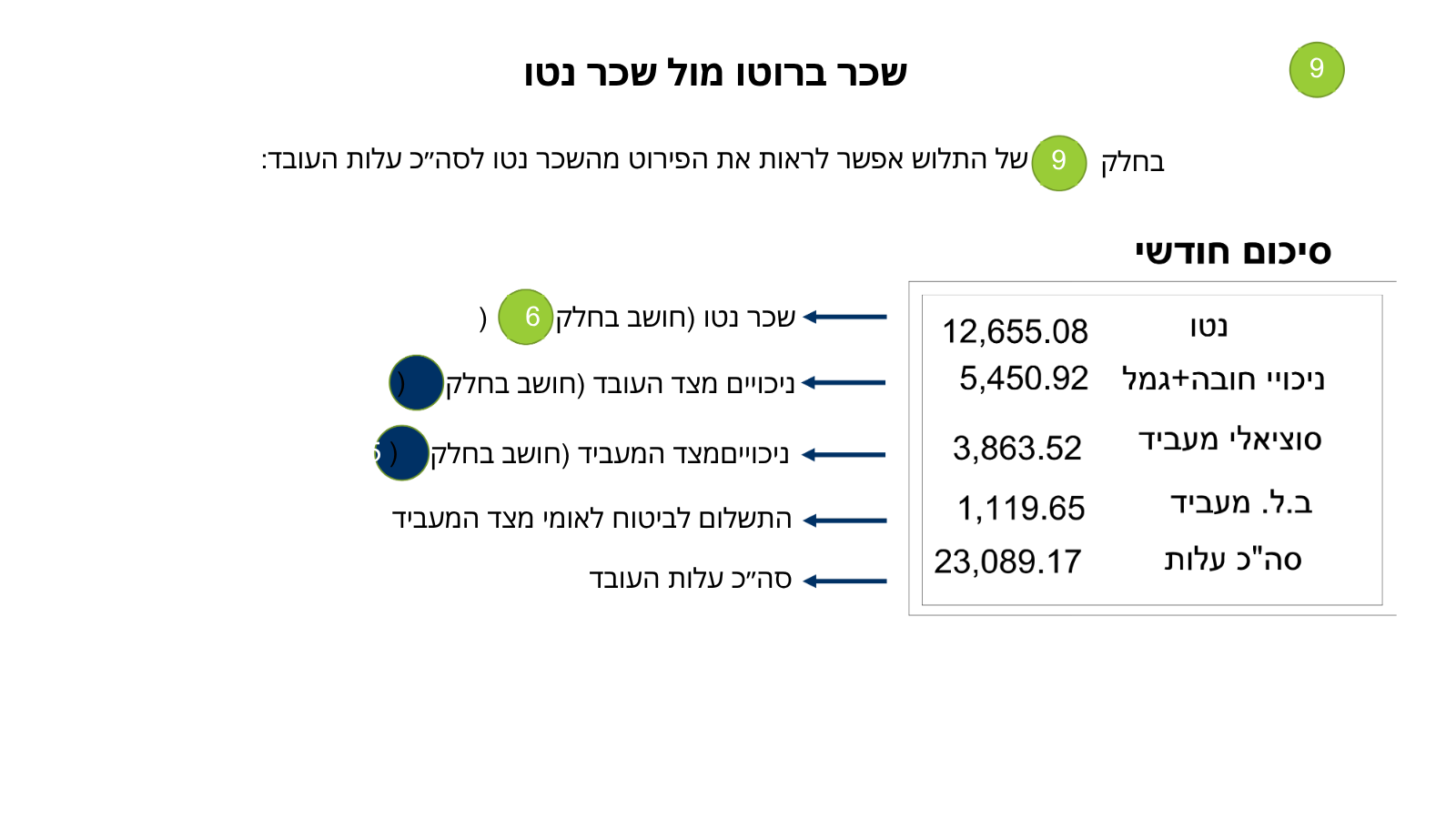
The sample payslip at a glance
What you see in each section of the payslip
Employee and employment details
Name, ID number, bank details, seniority, work days and hours, and job percentage.
Check: bank details and hours are correctPayments
Each pay component with quantity and rate: base, overtime, bonus, travel, recuperation pay (havraa).
Gross salary
The sum of all payments. Tax and contributions are calculated from it.
Employee deductions
Income tax, National Insurance and health tax, plus pension and study fund. That last part isn’t lost: it’s saved for you.
Employer contributions
Pension, severance and study fund that your employer pays for you, on top of your salary.
In the example: ₪3,863.52 a month into your savingsGross to net
Gross minus deductions. Optional deductions (a loan, workers’ committee) come off afterwards.
Vacation and sick days
How many you accrued, used and have left.
Year-to-date totals
A summary since the start of the year. Useful for tax refunds or when the bank asks for proof of income.
Total employment cost
What your employer actually pays. Worth knowing when negotiating salary.
How it works with Yeuls Sachir | Fincome
Freelancers who work through us get a payslip built on exactly the same principles:
- The client pays us for your work.
- We deduct our service fee. What’s left is your total salary cost.
- Employer contributions come out of the salary cost: pension, severance, study fund and National Insurance.
- From the gross we deduct income tax, National Insurance, health tax, pension and study fund.
- Your net pay reaches your bank on the 1st or the 9th of the month, as you choose.
All the rights of a salaried employee, without opening a file with the Tax Authority, National Insurance or VAT.
Where to see your payslip
Go to the portal
portal.yeuls.co.il
Enter your ID number and email
and you’ll receive a one-time code by email.
View your payslip and summary report
Both are updated by the 15th of the month. You can also submit expenses and open a service request.
Questions about your payslip? Write to us at info@yeuls.co.il and we’ll go through it with you.